But for now, I want to make a little extension to my theme about Copy-Paste. By coincidence I was lucky to discover some new feature. And I want to write about it today.
In my previous post I wrote about the difference about Copy-Paste and Duplicate Artboards. Well..I was not completely accurate there.
Last week I actually discovered, that you can Paste your artwork in layers and I am totally excited about it. I can say: never stop learning. This trick is very simple, but it will make your life much easier.
All you need to do is:
- Go to Layers Palette
- From drop down menu in the upper left corner set a checkmark in the Paste Remembers Layers
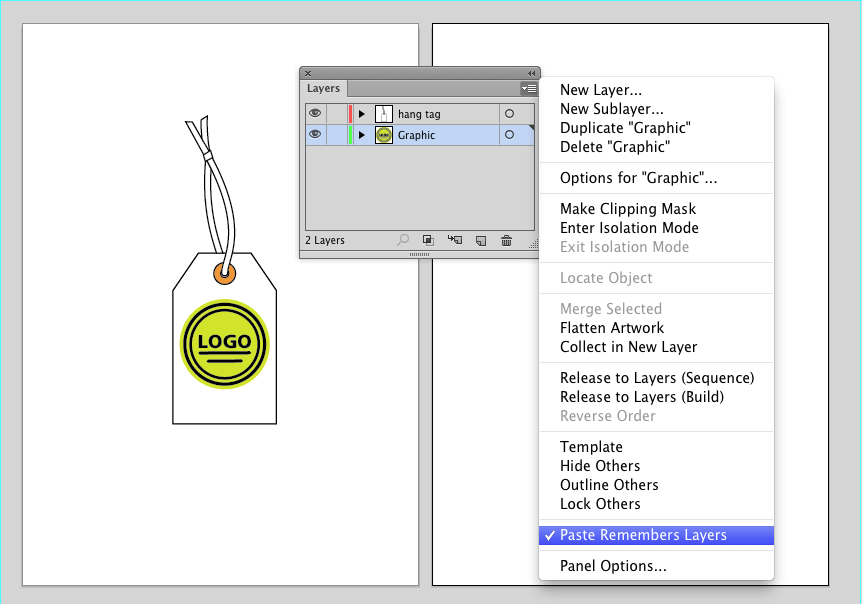
If this is set, Illustrator will keep the layers, when you paste your artwork the three different methods, I described in the previous post
Ctrl/Cmd+F-Paste in Front
Ctrl/Cmd+B-Paste in Back
Ctrl/Cmd+Alt+Shift+V-Paste in all artboards
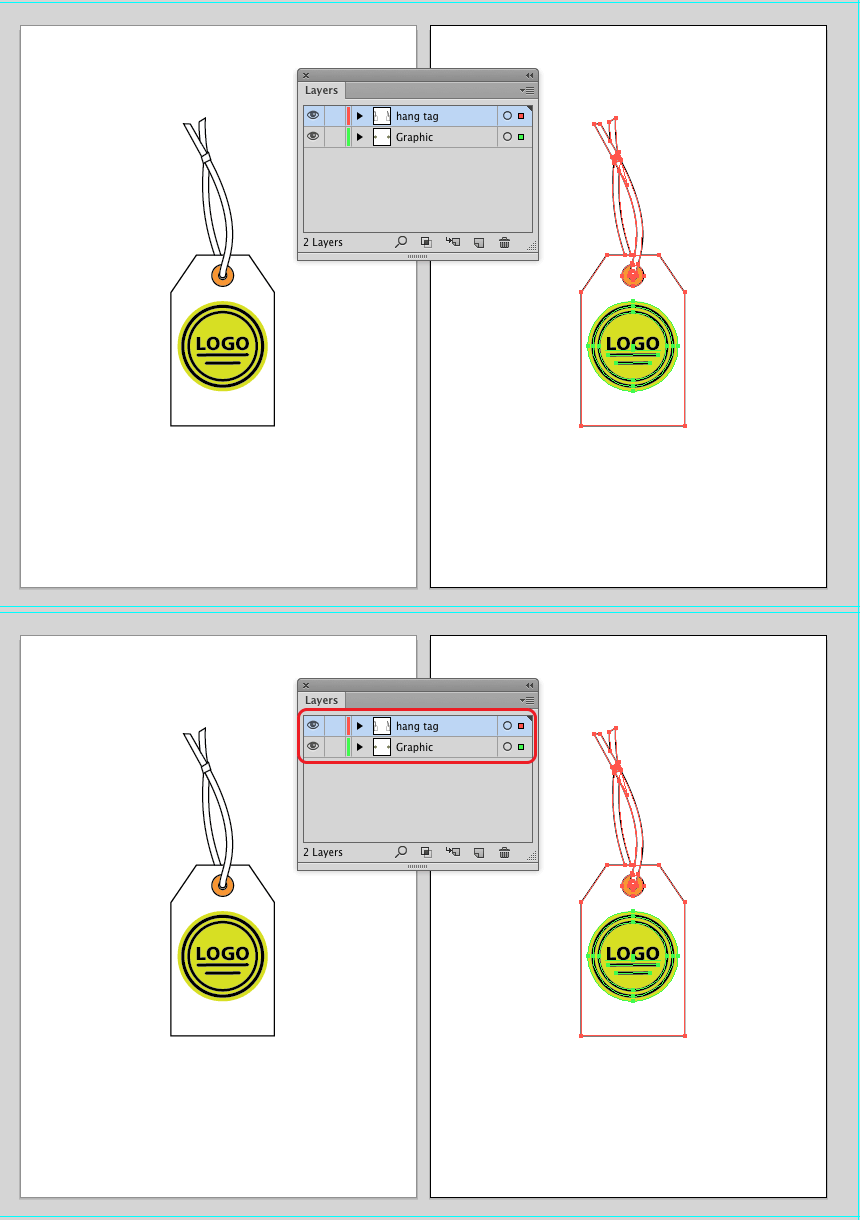
NICE!
Illustrator will keep this option in the settings, so you will have it even after you will reopen you program.